How to find students missing progress monitoring for ELI or Math Counts Act
Last updated: June 27, 2026
A frequently asked question from users is how to check whether the progress monitoring required by ELI or Math Counts Act (for students with Persistently At Risk literacy or math status) has been completed for the week. The answer is: there are several ways to check and they're all easy! You can filter to find students missing progress monitoring on the Students tab or within groups.
The instructions below are for locating missing PM according to ELI and Math Counts Act requirements using Literacy and Mathematics Status determinations, which are only calculated for K-6th grade students. To locate students missing progress monitoring according to Healthy Indicators, see Weekly Progress Monitoring Percentage Appears Low. |
Search within reports on the Students tab
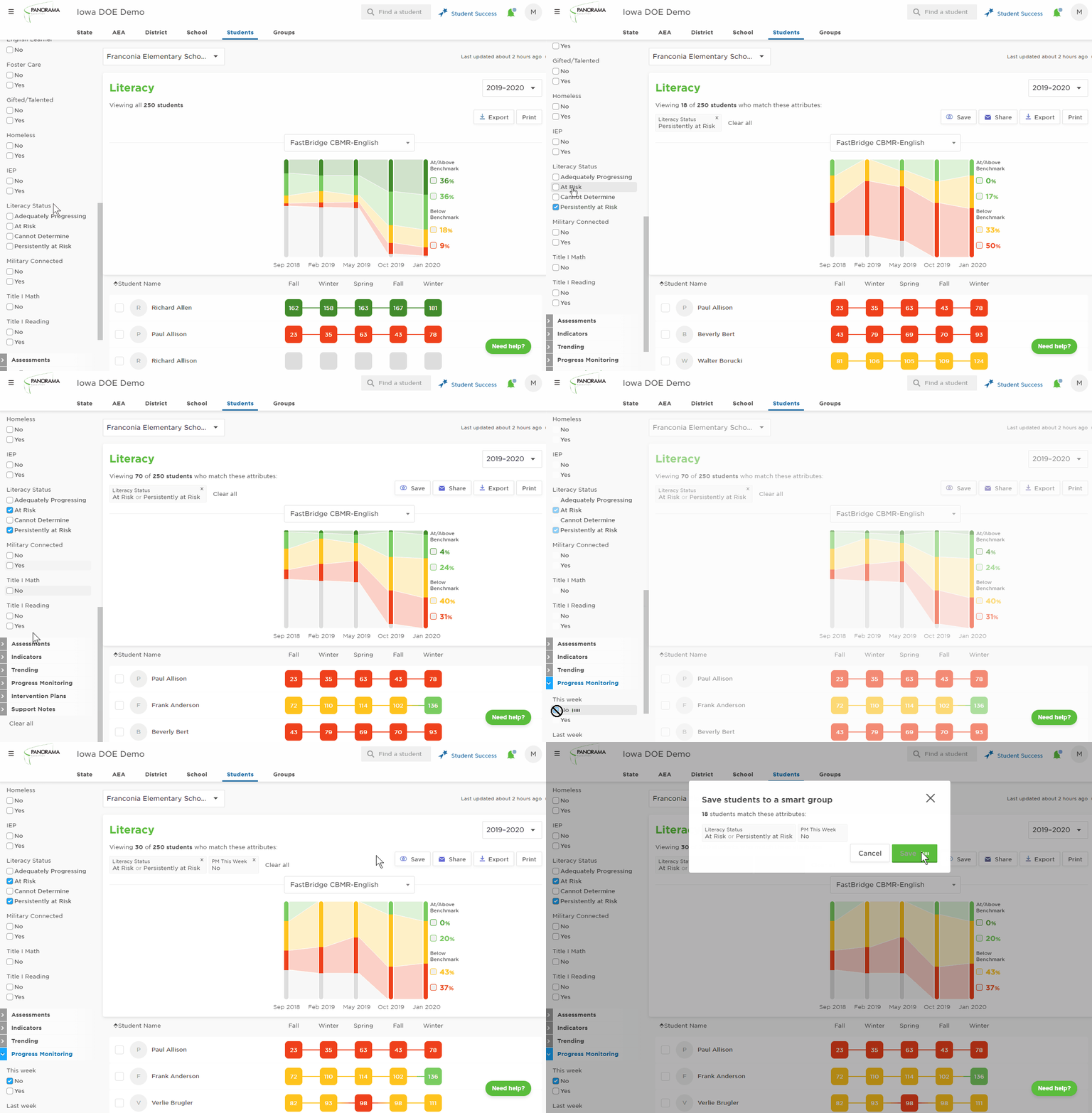
To start, you'll need to decide what grouping of students you want to look at. If it's a larger grouping such as all of the students in the school, in a grade, or on your roster (for classroom users), you go to the Students tab, apply any demographic filters desired (such as grade) and use the following steps:
Click on Demographics on the left menu to expand
Under the Literacy Status or Mathematics Status filter, select the check boxes for Persistently at Risk
Next, click Progress Monitoring on the left menu to expand
Under This Week, select No
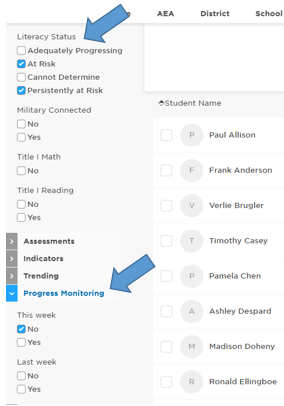
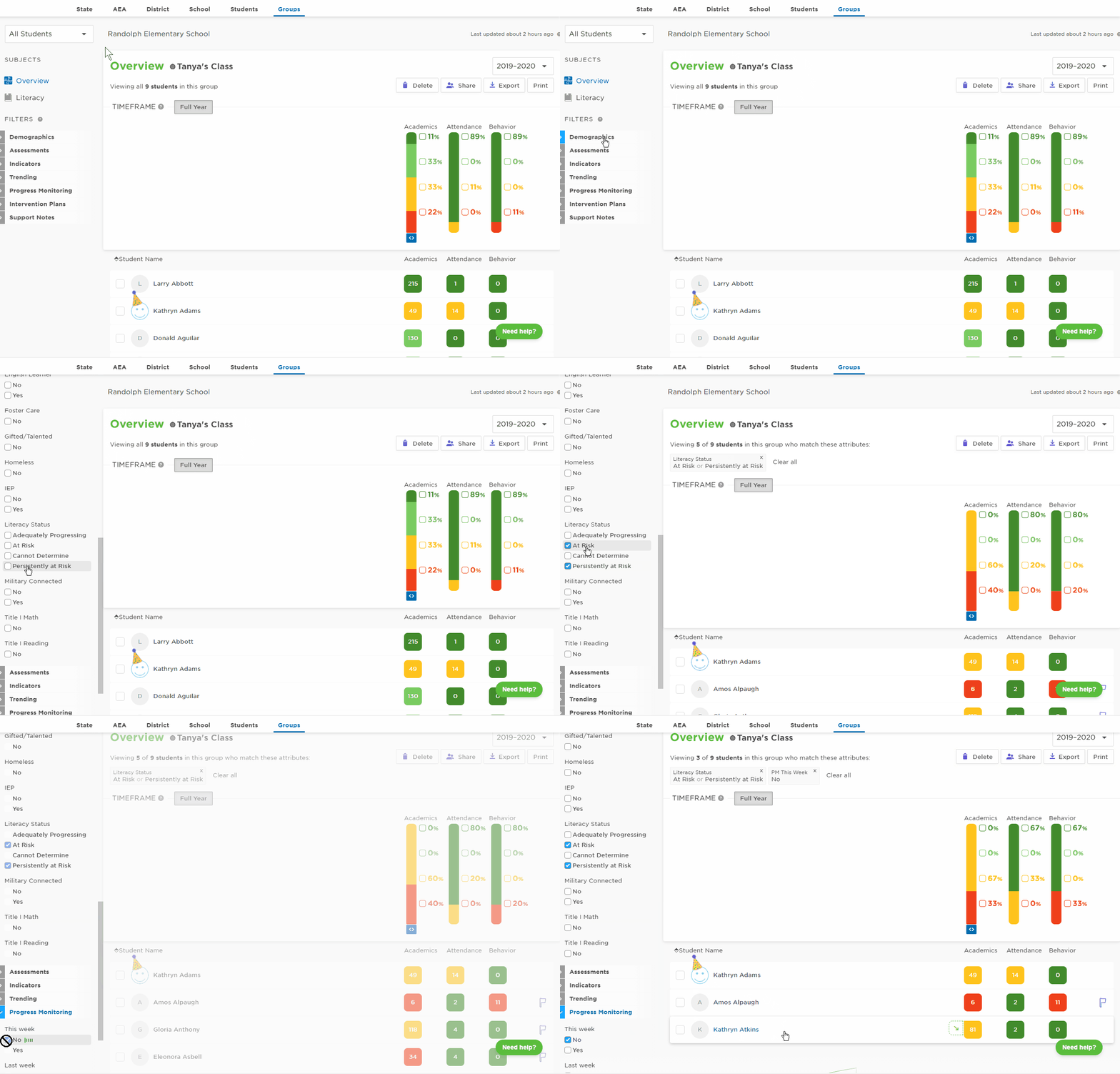
The result will be a list of students who don’t have a progress monitoring score recorded but should be progress monitored, per ELI or Math Counts guidelines. Remember, data updates nightly so students monitored today will still show on this list as not monitored. Use the same steps (above) to search within a group.
Search within an existing static or smart group
This may be helpful if you have created a static group of progress monitoring only students, whose PM completion can't be tracked on the intervention views. Or if you need to track progress monitoring completion for a specific class and create a group of that teacher's students.
Or create a smart group to do the searching for you
With this option, you can build a group specifically to check for missing progress monitoring with one click! Smart groups are dynamic groups based on applied filters. The students contained in the list will change as they meet or don't meet the filter criteria throughout the year with no changes to the group required. This is most functional if you're looking at the school-wide student list or a refined list based on the built-in filter options on the left menu.
Go to the Students tab
Use the demographic filter on the left menu, such as grade, to refine student list (if desired)
Note: smart groups are based only on filters so do not select specific students in the resulting listAlso under Demographics, go to Literacy Status or Mathematics Status and select Persistently At Risk
Next, click Progress Monitoring on the left menu to expand
Under This Week, select No
Click the Save button on the upper right corner of graph