Add or Remove Students from a Static Group
Last updated: June 30, 2026
Add Students
On the Students tab, click the checkbox to the left of the name of the student(s) to add to the group
Click Add to group on the purple action menu at the top of the page
Check the box next to the name of the desired group or groups. Note: You can add students to more than one group at once by selecting multiple groups.
Click Save
A message will appear on the purple action menu showing the number of students who were added to the number of groups.
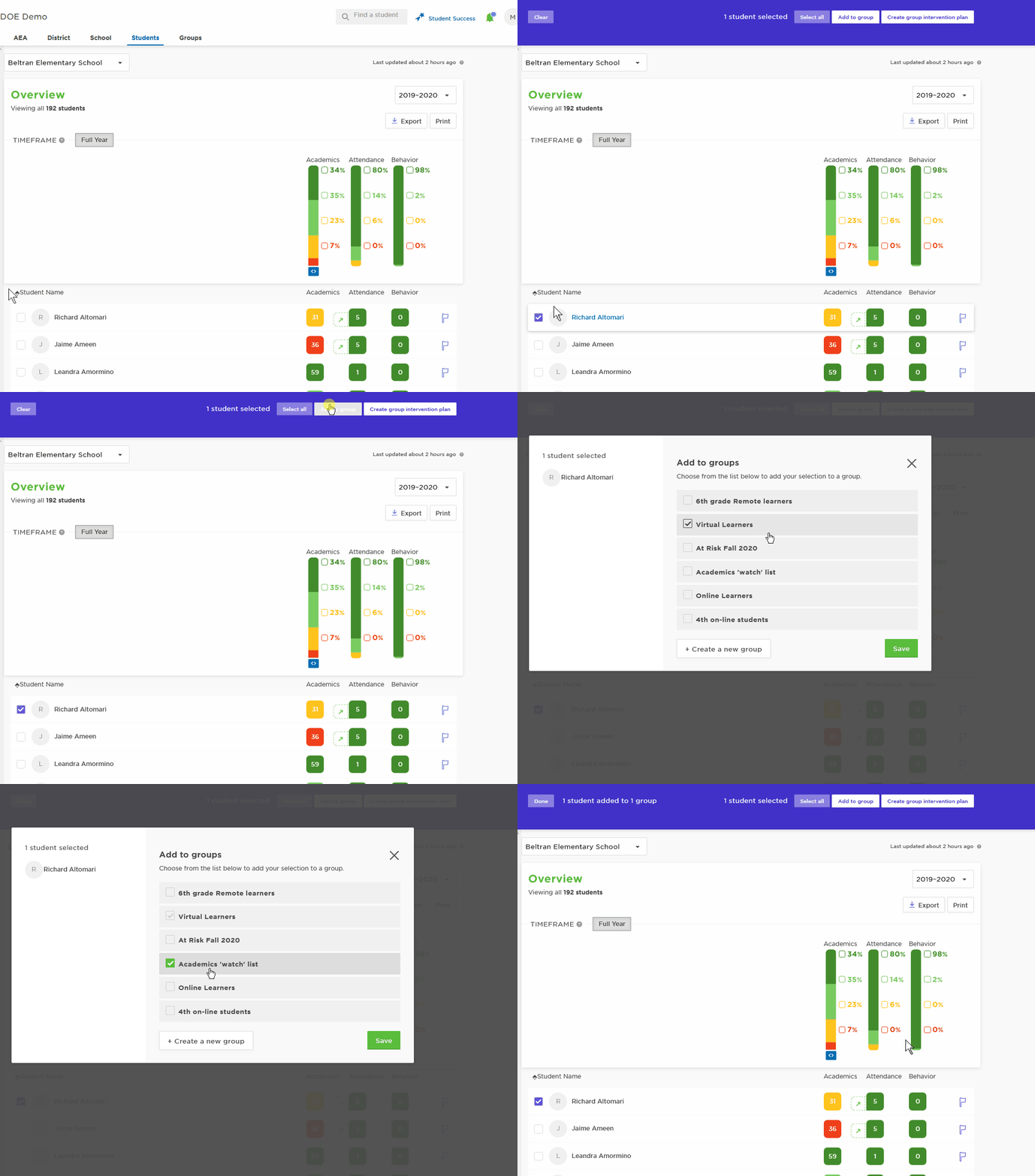
*visual above is a non-printable gif animation
Remove Students
On the Groups tab, click the group
Click the checkbox next to the student(s) you want to remove
Click Remove on the purple action menu that appears at the top
Click Confirm in the pop-up
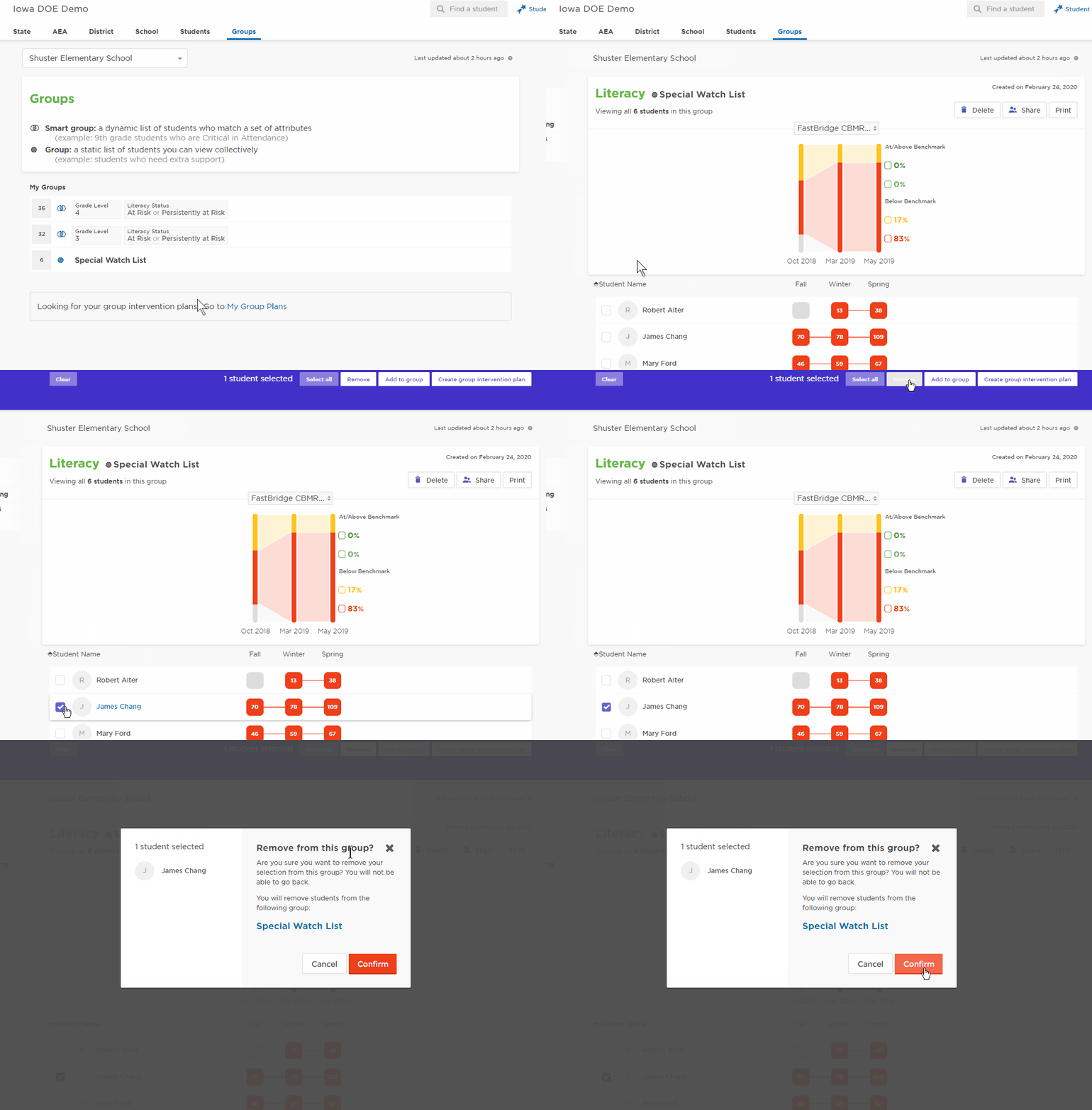
*visual above is a non-printable gif animation