Delete and Organize Groups
Last updated: July 1, 2026
How to Delete a Group You Created
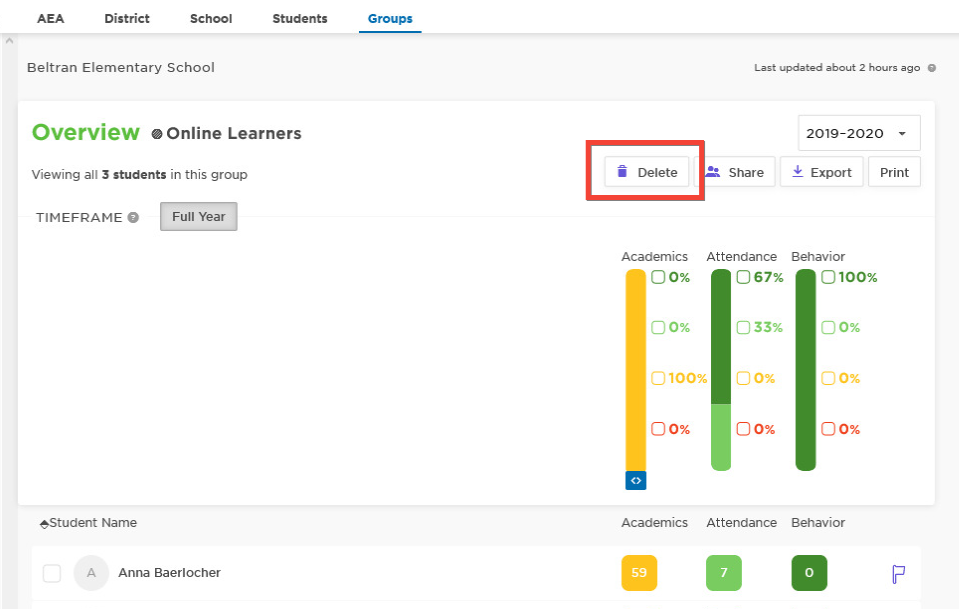
Deleting a group you created is easy! In the group, simply click the Delete button and then confirm you want to delete on pop-up. Deleting a group will remove it from all shared users.
How to Delete a Group Shared With You
There is no function to delete a group that has been shared with you. The creator of the group will need to remove you from the 'shared with' list or delete the group completely. Instructions to remove a user from sharing are below.
How to remove a user from a shared group (to delete it from their list)
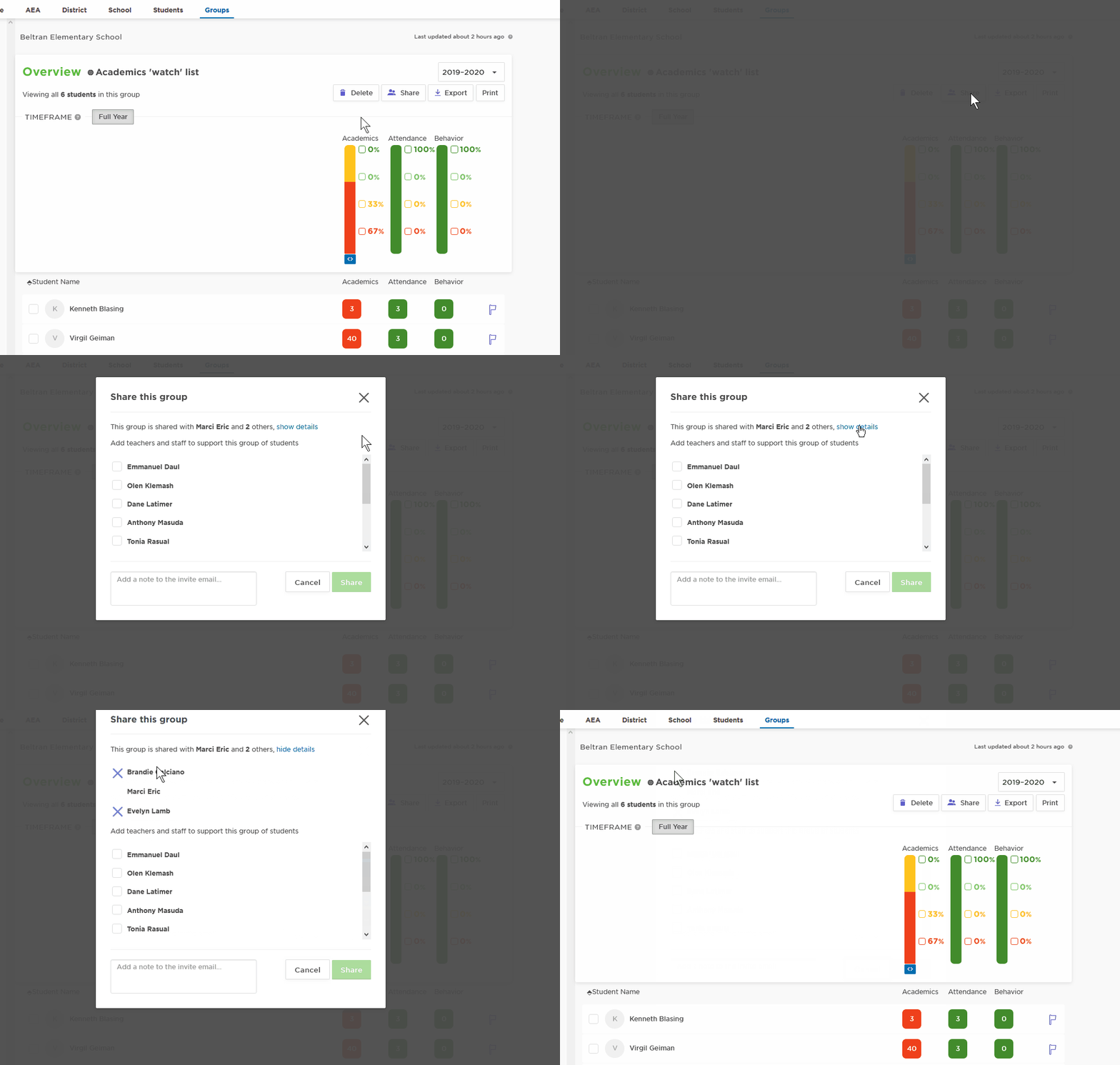
On the Groups tab, click on the name of the group
Click the Share button
At the top, it will say ‘This group is shared with…” click Show Details next to that sentence
Click the X next to the user name to remove