FAQ: Why don't I have the option to 'update progress' on a student's intervention plan?
Last updated: July 1, 2026
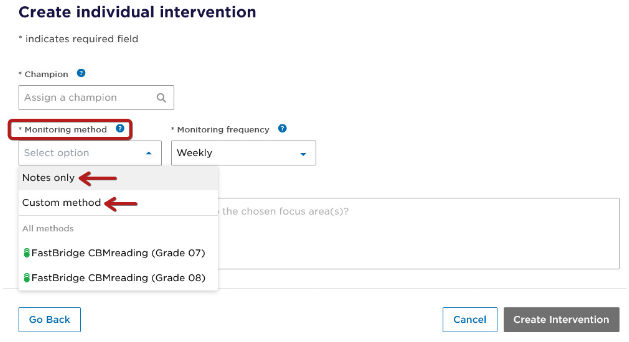
The Update Progress function is only available when “Custom” or “Notes only” is selected as the monitoring method in the intervention plan. If a specific monitoring measure such as FastBridge CBM-R Grade 4 is selected, the data will populate during the nightly updates and the option to manually update progress is not available on the intervention. Intervention team members may use the Add Note function in the intervention plan to include additional information about scores, as needed.
Custom and Notes only monitoring methods require all scores and data to be entered manually. Districts using FastBridge progress monitoring measures that transfer to Panorama nightly, should not select the Custom or Notes only monitoring methods, as these options will not allow for auto populating of progress data into the student’s intervention plan in Student Success.